MS Forms フロー

MS Forms クイズ解答ツール — AI による即時解答

MS Forms のあらゆる問題に対して、AI の解答提案と詳しい解説を即座に取得できます。

10以上のプラットフォーム
数秒で AI 解答を取得
無料インストール

Question detection

How QuizSolver works on MS Forms

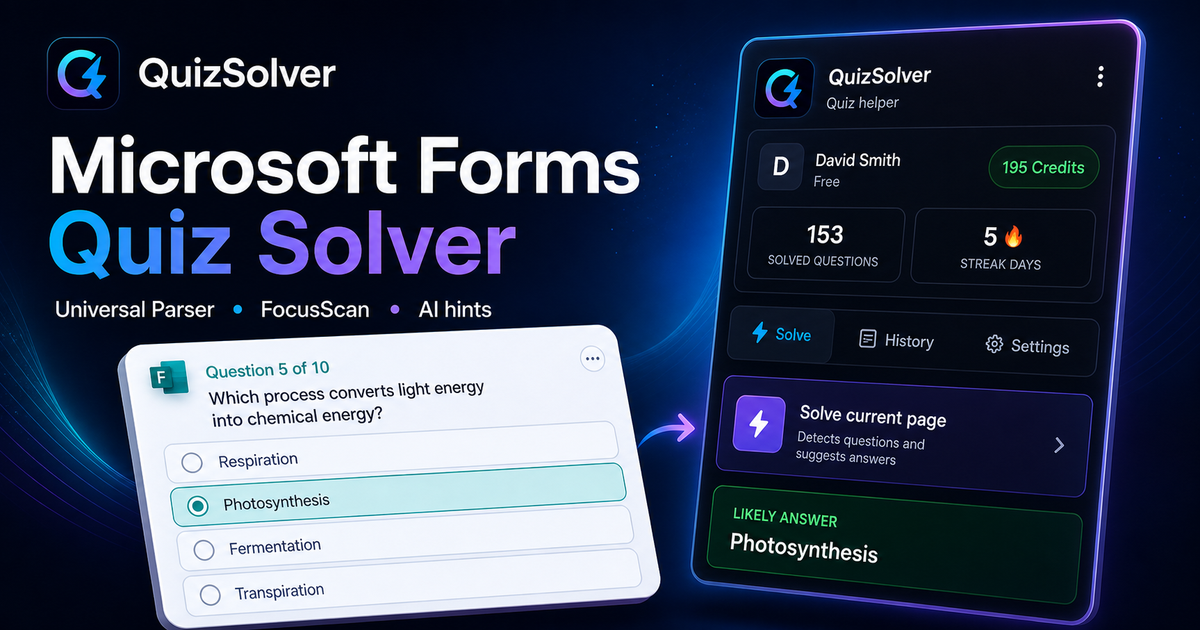
Microsoft Forms can render questions as cards with ratings, choices, text fields and media blocks. QuizSolver reads the active card structure and uses FocusScan when a school or company theme changes the default layout.

Under the hood, QuizSolver uses a universal parser: it compares the question text with nearby answer choices, form controls, images and the visible page layout. Tuned workflows improve reliability on popular platforms, and if standard detection does not return a meaningful question, FocusScan lets you select the exact screen region.

Every saved question can go to history with the answer, explanation and your own note. That means the platform workflow does not stop at a one-time hint: solved tasks become a private review library and practice quiz source.
Practical workflow

How to use QuizSolver reliably on MS Forms

A useful MS Forms solver page should explain the real workflow, not only repeat that AI answers are available. QuizSolver first reads visible question structure, nearby choices, field types and page context before it asks AI for a suggestion.

This workflow is designed for real quiz pages: radio answers, checkboxes, text inputs, image prompts, long instructions and custom layouts that can change between schools, courses and teachers.

Start with the visible question

Wait until the question and answer choices have fully loaded. On platforms that render quiz cards in stages, clicking too early can capture a heading, question number or navigation text instead of the actual prompt.

Check the answer format

Single-choice, multiple-answer, dropdown and short-answer questions need different AI instructions. QuizSolver tries to detect the active control type so the suggested answer matches what the page can actually accept.

Save hard questions for review

The biggest study value appears after the first answer. Saved questions, explanations and notes create a private review library that makes weak topics easier to find before the next attempt.

Visual workflow

See the MS Forms solving flow

A platform page should show the real workflow, not only promise an answer. This preview connects the three parts that matter most: the universal visible-page parser, FocusScan for difficult layouts, and saved explanations in study history.

QuizSolver workflow preview for MS Forms: universal parser, FocusScan and saved explanations

利用の流れ

  1. 1MS Forms のクイズページを開き、問題文と選択肢が完全に表示されるのを待ちます。
  2. 2QuizSolver アイコンをクリックし、「現在のページを解答」を選択します。特殊レイアウトには FocusScan を使用します。
  3. 3提案された解答と解説を確認します。自動クリックを避けたい場合はヒントモードを利用してください。

このワークフローの機能

  • ✦ 解答する前に、問題と選択肢が完全に読み込まれていることを確認してください。
  • ✦ 問題が画像、キャンバス、PDF などの特殊な形式の場合は FocusScan を使用してください。
  • ✦ 自動クリックを行わずに目立たないヒントを得たい場合はヒントモードを有効にしてください。
  • ✦ 難しい問題をノート付きで保存し、テスト直前の復習教材として活用しましょう。

MS Forms で効率的に学習

QuizSolver は MS Forms の問題を深く理解し、ノートを保存して試験前に効率よく復習するのに役立ちます。

プラットフォーム

その他の QuizSolver ガイド

利用するプラットフォームを選択して、クイズシステムに特化した手順を確認しましょう。

FAQ

このワークフローに関するよくある質問

QuizSolver は MS Forms でどのように機能しますか?+

QuizSolver は MS Forms の問題と選択肢を読み取り、AI を通じて瞬時に正解の提案と解説を表示します。

問題が自動的に検出されない場合はどうすればよいですか?+

FocusScan を使用し、問題エリアをマウスでドラッグして選択すればすぐに AI に送信できます。

後から問題を復習できますか?+

はい、解いた問題を履歴に保存し、ノートの追加や復習テストの作成が可能です。

QuizSolver は MS Forms でどのような問題形式に対応していますか?+

QuizSolver は選択式、単一選択、自由記述、ドロップダウン、組み合わせ、および FocusScan による画像問題を認識します。

QuizSolver は MS Forms で自動的に回答を送信しますか?+

いいえ。拡張機能は正解の提案と解説を表示しますが、最終的な選択と送信の判断は常にユーザーに委ねられます。

QuizSolver は MS Forms の画像付き問題を解答できますか?+

はい。FocusScan により画面上の任意のエリアを選択して、画像、図表、数式を正確に読み取ることができます。

今すぐ始める

QuizSolver を Chrome に追加

無料の10クレジットからスタート。インストールは数秒で完了します。