Kahoot Workflow

Kahoot Quiz Solver — AI-відповіді Миттєво

Отримуй миттєві AI-підказки і детальні пояснення до кожного питання квізу Kahoot.

10+ платформ
AI-відповіді за секунди
Безкоштовна установка

Question detection

How QuizSolver works on Kahoot

Kahoot is different because some games show the question on the player screen while others show only colored answer tiles. QuizSolver supports both visible-question mode and Quiz ID answer-bank mode for hidden-question games.

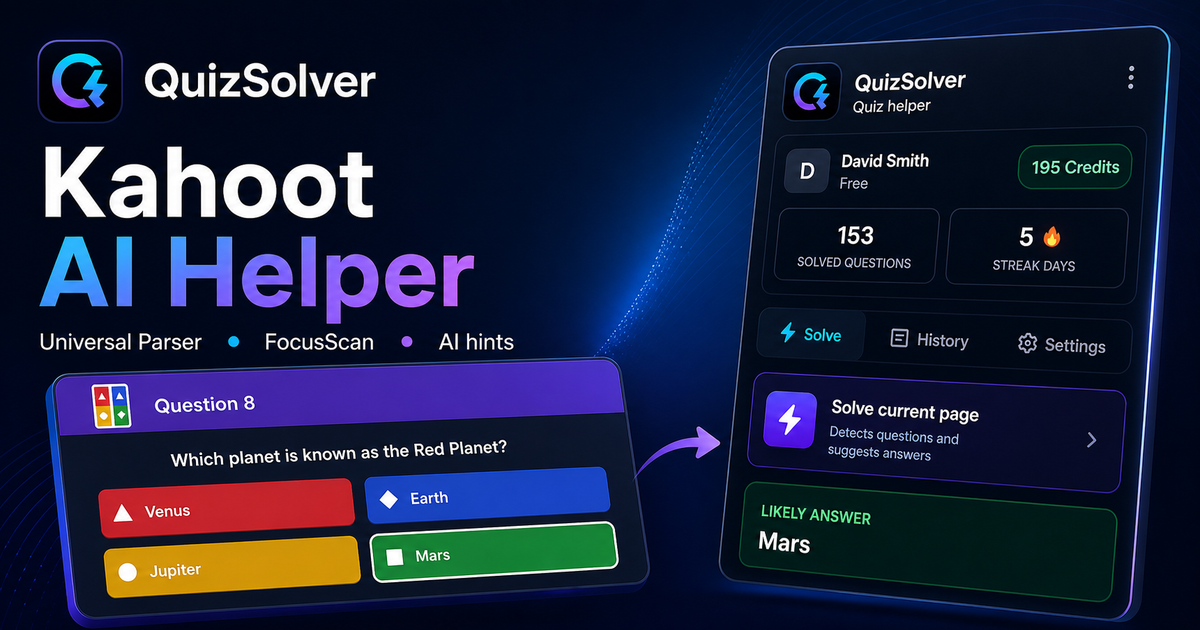
Under the hood, QuizSolver uses a universal parser: it compares the question text with nearby answer choices, form controls, images and the visible page layout. Tuned workflows improve reliability on popular platforms, and if standard detection does not return a meaningful question, FocusScan lets you select the exact screen region.

Every saved question can go to history with the answer, explanation and your own note. That means the platform workflow does not stop at a one-time hint: solved tasks become a private review library and practice quiz source.
Practical workflow

How to use QuizSolver reliably on Kahoot

A useful Kahoot solver page should explain the real workflow, not only repeat that AI answers are available. QuizSolver first reads visible question structure, nearby choices, field types and page context before it asks AI for a suggestion.

This workflow is designed for real quiz pages: radio answers, checkboxes, text inputs, image prompts, long instructions and custom layouts that can change between schools, courses and teachers.

Start with the visible question

Wait until the question and answer choices have fully loaded. On platforms that render quiz cards in stages, clicking too early can capture a heading, question number or navigation text instead of the actual prompt.

Check the answer format

Single-choice, multiple-answer, dropdown and short-answer questions need different AI instructions. QuizSolver tries to detect the active control type so the suggested answer matches what the page can actually accept.

Save hard questions for review

The biggest study value appears after the first answer. Saved questions, explanations and notes create a private review library that makes weak topics easier to find before the next attempt.

Visual workflow

See the Kahoot solving flow

A platform page should show the real workflow, not only promise an answer. This preview connects the three parts that matter most: the universal visible-page parser, FocusScan for difficult layouts, and saved explanations in study history.

QuizSolver workflow preview for Kahoot: universal parser, FocusScan and saved explanations

Покрокова інструкція

  1. 1Відкрий kahoot.it/instructions, lobby або екран відповідей і натисни QS.
  2. 2Вибери Solve whole quiz, якщо питання й відповіді видно.
  3. 3Якщо host приховує питання, скопіюй Quiz ID з URL після quizId=.
  4. 4Знайди питання в банку відповідей. Quiz ID не витрачає AI-кредити.
  5. 5Тримай панель відкритою і зупини auto mode, коли хочеш керувати сам.

Функції цього сценарію

  • Auto mode або банк відповідей через Quiz ID.
  • Quiz ID не витрачає AI-кредити.
  • Панель з пошуком для desktop і mobile.
  • Статус показує очікування, розв’язання або зупинку.

QuizSolver допомагає швидше зрозуміти питання на Kahoot, зберегти нотатки і ефективно повторити їх пізніше.

Навчайся краще з Kahoot

QuizSolver допомагає швидше зрозуміти питання на Kahoot, зберегти нотатки і ефективно повторити їх пізніше.

FAQ

Питання про цей сценарій

Quiz ID — це PIN Kahoot?+

Ні. PIN підключає до live-гри, Quiz ID ідентифікує сам квіз.

Чому auto mode не стартує?+

Якщо host приховує питання, використовуй Quiz ID.

Quiz ID витрачає кредити?+

Ні, він показує банк відповідей без AI-запиту.

Які типи питань Kahoot підтримує QuizSolver?+

QuizSolver розпізнає один варіант відповіді, кілька варіантів, текстові поля, dropdown, завдання на відповідність, зображення та видимий вміст сторінки. Для незвичних компонентів FocusScan читає вибрану область екрана.

Чи QuizSolver автоматично надсилає мій квіз Kahoot?+

Ні. Розширення показує запропоновану відповідь і пояснення, а фінальний клік або відправлення залишаються під твоїм контролем. Hint mode може показати лише непомітну підказку.

Чи працює Quiz ID, якщо питання приховане?+

Так. Коли host приховує питання, режим Quiz ID дозволяє шукати у банку відповідей без витрати AI-кредитів.

Готовий встановити?

Додай QuizSolver у Chrome і почни з першого квізу.

Розширення, історія питань, нотатки і практика працюють з одного акаунта.