Kahoot الخطوات

حل اختبارات Kahoot — إجابات فورية بالذكاء الاصطناعي

احصل على اقتراحات فورية وشروحات تفصيلية لكل سؤال في اختبارات Kahoot.

10+ منصات
إجابات بالذكاء الاصطناعي في ثوانٍ
تثبيت مجاني

Question detection

How QuizSolver works on Kahoot

Kahoot is different because some games show the question on the player screen while others show only colored answer tiles. QuizSolver supports both visible-question mode and Quiz ID answer-bank mode for hidden-question games.

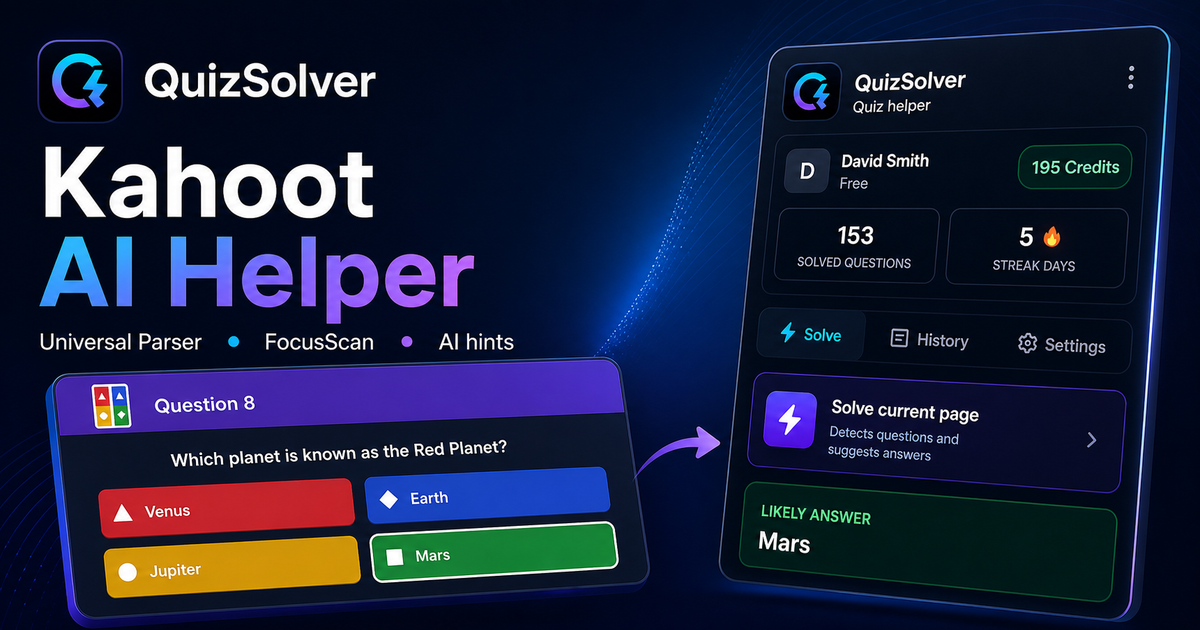
Under the hood, QuizSolver uses a universal parser: it compares the question text with nearby answer choices, form controls, images and the visible page layout. Tuned workflows improve reliability on popular platforms, and if standard detection does not return a meaningful question, FocusScan lets you select the exact screen region.

Every saved question can go to history with the answer, explanation and your own note. That means the platform workflow does not stop at a one-time hint: solved tasks become a private review library and practice quiz source.
Practical workflow

How to use QuizSolver reliably on Kahoot

A useful Kahoot solver page should explain the real workflow, not only repeat that AI answers are available. QuizSolver first reads visible question structure, nearby choices, field types and page context before it asks AI for a suggestion.

This workflow is designed for real quiz pages: radio answers, checkboxes, text inputs, image prompts, long instructions and custom layouts that can change between schools, courses and teachers.

Start with the visible question

Wait until the question and answer choices have fully loaded. On platforms that render quiz cards in stages, clicking too early can capture a heading, question number or navigation text instead of the actual prompt.

Check the answer format

Single-choice, multiple-answer, dropdown and short-answer questions need different AI instructions. QuizSolver tries to detect the active control type so the suggested answer matches what the page can actually accept.

Save hard questions for review

The biggest study value appears after the first answer. Saved questions, explanations and notes create a private review library that makes weak topics easier to find before the next attempt.

Visual workflow

See the Kahoot solving flow

A platform page should show the real workflow, not only promise an answer. This preview connects the three parts that matter most: the universal visible-page parser, FocusScan for difficult layouts, and saved explanations in study history.

QuizSolver workflow preview for Kahoot: universal parser, FocusScan and saved explanations

خطوات الإعداد والحل

  1. 1افتح رابط kahoot.it/instructions أو شاشة اللعبة وانقر على أيقونة إضافة QS.
  2. 2اختر حل الاختبار بالكامل إذا كانت الأسئلة وبطاقات الإجابات معروضة على شاشتك.
  3. 3إذا أخفى المضيف الأسئلة، انسخ معرف الاختبار (Quiz ID) من عنوان الرابط بعد quizId= والصقه في اللوحة.
  4. 4ابحث في بنك الإجابات السريع لمعرفة الإجابة الصحيحة. لا يستهلك وضع Quiz ID أي رصيد.
  5. 5أبقِ اللوحة العائمة مفتوحة، ويمكنك إيقاف الوضع التلقائي متى شئت للحل يدوياً.

قائمة خطوات الحل

  • ✦ وضعان للحل: حل تلقائي للأسئلة المرئية أو عرض بنك الإجابات عبر Quiz ID.
  • ✦ وضع Quiz ID مجاني تماماً ولا يستهلك رصيد الذكاء الاصطناعي.
  • ✦ لوحة تحكم عائمة وسريعة البحث تعمل بكفاءة على الشاشات المختلفة.
  • ✦ مؤشر حالة واضح يبين الانتظار أو الحل أو الإيقاف المؤقت.

يساعدك QuizSolver على فهم أسئلة Kahoot وحفظ الملاحظات والمراجعة بكفاءة قبل الامتحانات.

تعلم بذكاء في Kahoot

يساعدك QuizSolver على فهم أسئلة Kahoot وحفظ الملاحظات والمراجعة بكفاءة قبل الامتحانات.

المنصات

أدلة QuizSolver الأخرى

اختر منصتك واطلع على دليل خطوة بخطوة مخصص لنظام الاختبارات.

FAQ

الأسئلة الشائعة حول هذا الدليل

هل معرف الاختبار (Quiz ID) هو نفسه رمز PIN للعبة Kahoot؟+

لا، رمز PIN مخصص للانضمام إلى اللعبة المباشرة، بينما Quiz ID هو المعرف الخاص بالاختبار نفسه في الرابط بعد quizId=.

لماذا لا يبدأ الحل التلقائي أحياناً في Kahoot؟+

إذا كان المضيف يخفي نص السؤال على شاشات اللاعبين، استخدم وضع Quiz ID للوصول إلى بنك الإجابات مباشرة.

هل يستهلك وضع Quiz ID رصيداً؟+

لا، يعرض بنك إجابات الاختبار بدون إرسال طلب جديد للذكاء الاصطناعي.

ما أنواع الأسئلة التي يدعمها QuizSolver في Kahoot؟+

يتعرف QuizSolver على أسئلة الاختيار من متعدد، والإجابة المفردة، وحقول النصوص، والقوائم المنسدلة، والمطابقة، والصور، والمحتوى المرئي. وللعناصر المعقدة، يقرأ FocusScan المنطقة المحددة بدقة.

هل يقوم QuizSolver بإرسال إجاباتي تلقائياً في Kahoot؟+

لا، تعرض الإضافة الإجابة المقترحة والشرح، لكن قرار الاختيار والإرسال النهائي يعود إليك دائماً. ويمكن لوضع التلميح إظهار إشارة خفية فقط.

هل يعمل وضع Quiz ID عندما تكون الأسئلة مخفية؟+

نعم، عندما يخفي المضيف الأسئلة، يتيح وضع Quiz ID البحث في بنك الإجابات دون استهلاك رصيد الذكاء الاصطناعي.

جاهز للتثبيت؟

أضف QuizSolver إلى Chrome وابدأ مع أول اختبار لك.

تعمل الإضافة وسجل الأسئلة والملاحظات والاختبارات التدريبية من حساب واحد.