Testportal Akış

Testportal Quiz Çözücü — Anında Yapay Zeka Yanıtları

Testportal üzerindeki her soru için anında yapay zeka önerileri ve ayrıntılı açıklamalar alın.

10+ platform
Saniyeler içinde yapay zeka yanıtları
Ücretsiz kurulum

Question detection

How QuizSolver works on Testportal

Testportal often combines timers, one-question screens, radio answers, checkboxes and images inside a focused test interface. QuizSolver keeps the work in the browser side panel so the question can be reviewed without leaving the test tab.

Under the hood, QuizSolver uses a universal parser: it compares the question text with nearby answer choices, form controls, images and the visible page layout. Tuned workflows improve reliability on popular platforms, and if standard detection does not return a meaningful question, FocusScan lets you select the exact screen region.

Every saved question can go to history with the answer, explanation and your own note. That means the platform workflow does not stop at a one-time hint: solved tasks become a private review library and practice quiz source.
Testportal workflow

How QuizSolver handles Testportal quizzes in practice

Testportal is one of the platforms where a generic AI copy-paste workflow breaks down quickly. A quiz can show one question per screen, a running timer, shuffled answers, focus-loss warnings and image-based prompts in the same attempt.

QuizSolver treats Testportal as a structured workflow. It looks for the active prompt, pairs it with the currently visible answer choices and detects whether the question expects one answer or multiple answers before sending a compact request to AI.

Timed one-question screens

Many Testportal attempts show only one question at a time. That can make detection cleaner, but only after the page has fully rendered. If the extension is triggered while the next card is still loading, the visible text may be only a question number, a spinner or navigation labels.

The most reliable flow is to wait until the full question and answer set are visible, run Solve current page, review the suggestion and continue. If the same normalized question appears again, QuizSolver can reuse saved context instead of treating it as a brand-new prompt.

  • single-question screens
  • radio and checkbox answers
  • shuffled answer order
  • embedded images and diagrams

When FocusScan is better than page parsing

Some Testportal questions are not exposed as clean page text. Teachers may use screenshots, PDF fragments, diagrams or locked content. In those cases FocusScan gives AI the missing visual context without relying on brittle HTML selectors.

The selection should be tight: include the prompt and answer choices, but leave out the timer, navigation buttons, side menus and browser chrome. A smaller, cleaner capture produces better OCR and reduces the chance of answering the wrong text.

  • select the prompt and answers only
  • exclude timers and navigation
  • use it for images or locked text
  • save the explanation afterward

Turn the attempt into study material

The strongest Testportal workflow starts after the first answer. Saving the question, answer and explanation turns a temporary test screen into a private review item. Notes are useful for marking why the question was hard: concept gap, vocabulary, formula, definition or careless reading.

Later, those saved questions can become a practice set. That gives the page long-term learning value instead of reducing it to a one-time answer lookup.

Visual workflow

See the Testportal solving flow

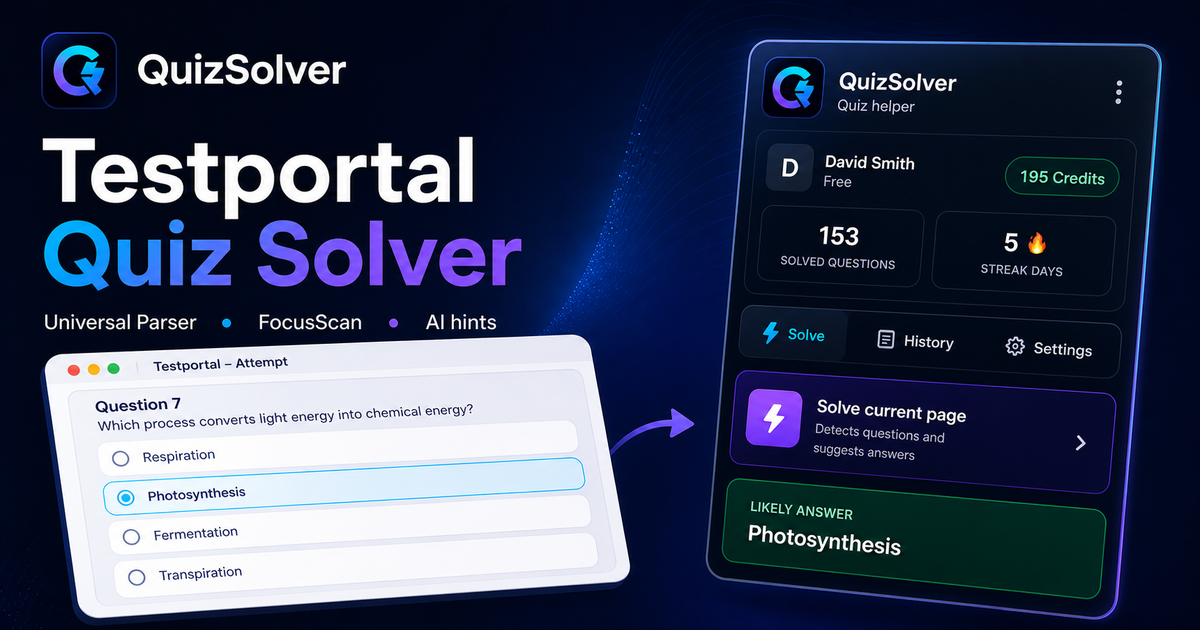
A platform page should show the real workflow, not only promise an answer. This preview connects the three parts that matter most: the universal visible-page parser, FocusScan for difficult layouts, and saved explanations in study history.

QuizSolver workflow preview for Testportal: universal parser, FocusScan and saved explanations

Adım adım kurulum

  1. 1Testportal test sayfasını açın ve soru ile seçeneklerin tam olarak yüklenmesini bekleyin.
  2. 2QuizSolver uzantı simgesine tıklayın ve Mevcut sayfayı çöz seçeneğini seçin. Özel tasarımlar için FocusScan kullanın.
  3. 3Önerilen yanıtı ve açıklamayı inceleyin. Otomatik tıklama olmadan ipucu görmek için İpucu Modu'nu kullanın.

Bu akışın özellikleri

  • ✦ Çözmeden önce soru metninin ve seçeneklerin tam yüklendiğinden emin olun.
  • ✦ İçerik resim, canvas, PDF veya özel bir formatta ise FocusScan kullanın.
  • ✦ Otomatik tıklama yerine hafif bir vurgu için İpucu Modu'nu açın.
  • ✦ Zor soruları notlarla kaydederek sınav öncesi tekrar materyaline dönüştürün.

Testportal ile Daha İyi Çalışın

QuizSolver, Testportal sorularını anlamanıza, notlar almanıza ve sınavlardan önce verimli bir şekilde tekrar yapmanıza yardımcı olur.

Platformlar

Diğer QuizSolver rehberleri

Platformunuzu seçin ve sınav sisteminize özel adım adım rehberi inceleyin.

FAQ

Bu akış hakkında sıkça sorulan sorular

QuizSolver Testportal üzerinde nasıl çalışır?+

QuizSolver, Testportal üzerindeki soru ve seçenekleri okuyarak yapay zeka ile anında doğru yanıtı ve açıklamasını sunar.

Soru otomatik olarak algılanmazsa ne yapmalıyım?+

FocusScan özelliğini kullanın ve sorunun bulunduğu alanı fareyle seçerek yapay zekaya gönderin.

Soruları daha sonra tekrar edebilir miyim?+

Evet, çözülen tüm soruları geçmişe kaydedebilir, notlar ekleyebilir ve deneme testleri çözebilirsiniz.

QuizSolver Testportal üzerinde hangi soru tiplerini destekler?+

QuizSolver çoktan seçmeli, tek cevaplı, metin kutuları, açılır menüler, eşleştirme ve FocusScan ile görsel soruları tanır.

QuizSolver Testportal üzerinde cevaplarımı otomatik olarak gönderir mi?+

Hayır. Uzantı önerilen yanıtı ve açıklamayı gösterir, ancak seçim ve gönderme kararı daima size aittir.

QuizSolver Testportal üzerindeki görselli soruları çözebilir mi?+

Evet. FocusScan ekranın herhangi bir bölgesini seçerek resimleri, grafikleri ve formülleri OCR ile okumanıza olanak tanır.

Hemen Başlayın

QuizSolver'ı Chrome'a Ekleyin

Ücretsiz 10 krediyle başlayın. Kurulum yalnızca birkaç saniye sürer.