Kahoot Quiz ID Helper

Kahoot AI Bot — Auto-Solve & Quiz ID Answer Bank

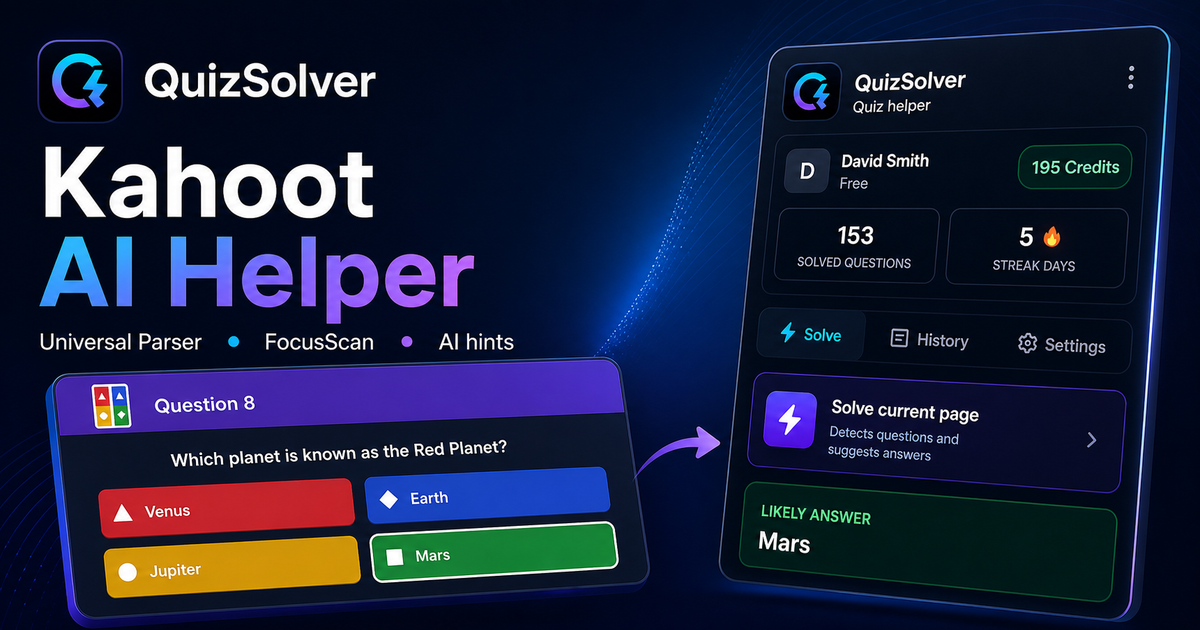
Use QuizSolver in two Kahoot modes: auto-solve visible questions or load the full answer bank with a Quiz ID when the host hides questions.

10+ platforms
AI answers in seconds
Free to install

Question detection

How QuizSolver works on Kahoot

Kahoot is different because some games show the question on the player screen while others show only colored answer tiles. QuizSolver supports both visible-question mode and Quiz ID answer-bank mode for hidden-question games.

The parser compares the question text with nearby answer choices, form controls, images and the visible page layout. If standard detection does not return a meaningful question, FocusScan lets you select the exact screen region and retry without mixing content from other parts of the page.

Every saved question can go to history with the answer, explanation and your own note. That means the platform workflow does not stop at a one-time hint: solved tasks become a private review library and practice quiz source.
Step-by-step setup

  1. 1Open kahoot.it/instructions, the Kahoot lobby or the live answer screen, then click the QS extension icon.
  2. 2Choose Solve whole quiz when the host shows questions and answer tiles on your device. The extension waits for each new question before suggesting or clicking an answer.
  3. 3If the host hides questions, copy the Quiz ID from a Kahoot URL after quizId= and paste it into the Kahoot panel.
  4. 4Use the searchable answer bank to find the current question and read the correct answer. Quiz ID mode does not spend AI credits.
  5. 5Keep the floating panel open, resize it if needed, and stop auto mode from the main Kahoot action button when you want to take over.

Supported question types and signals

  • Two workflows: automatic visible-question solving or Quiz ID answer bank.
  • Quiz ID mode loads known Kahoot questions without spending AI credits.
  • Searchable floating panel works on desktop and mobile layouts.
  • Clear status text shows whether auto mode is waiting, solving or stopped.

Quiz ID is different from the live game PIN. It appears in Kahoot URLs after quizId=, for example play.kahoot.it/v2/lobby?quizId=...

Two Kahoot solving modes

Some Kahoot games show every question on the player screen, while others hide the question and only show answer tiles. QuizSolver adapts to both cases: it can answer visible questions automatically or load the full quiz structure from a Quiz ID.

What is a Kahoot Quiz ID?

The Quiz ID is the long identifier in the Kahoot lobby or preview URL. Paste it into the extension panel to view a searchable list of questions and correct answers.

How QuizSolver reads Kahoot questions

Kahoot can show questions as plain text, answer tiles, form controls, images or custom page components. QuizSolver analyzes the visible question context and answer options before asking AI, so it does not rely on generic labels such as "Question 5".

Kahoot question history

After solving, you can save the question, answer, explanation and your own note to history. That turns a one-time quiz attempt into review material you can filter, favorite and practice again later.

FAQ

Questions about this workflow

Is Quiz ID the same as a Kahoot PIN?+

No. A PIN joins a live game. Quiz ID identifies the quiz itself and is usually visible in a Kahoot URL after quizId=.

Why does automatic mode sometimes not start?+

Some hosts hide questions from player devices. When you cannot see the question text and answer tiles, use Quiz ID mode instead.

Does Kahoot Quiz ID mode use credits?+

No. It displays the quiz answer bank and does not send the question to AI.

Which Kahoot question types does QuizSolver support?+

QuizSolver detects single-choice answers, multiple-choice answers, text fields, dropdowns, matching-style layouts, images and visible page content. For unusual components, FocusScan can read the selected screen region.

Does QuizSolver submit my Kahoot quiz automatically?+

No. The extension shows an answer suggestion and explanation, while the final click or submission stays under your control. Hint mode can show only a subtle visual clue.

Does Quiz ID mode work when the question is hidden?+

Yes. When the host hides the question, Quiz ID mode lets you search the answer bank without spending AI credits.

Ready to install?

Add QuizSolver to Chrome and start with your first quiz.

The extension, question history, notes, and history quiz all work from one account.